View pricing first. Complete ordering when you are ready.
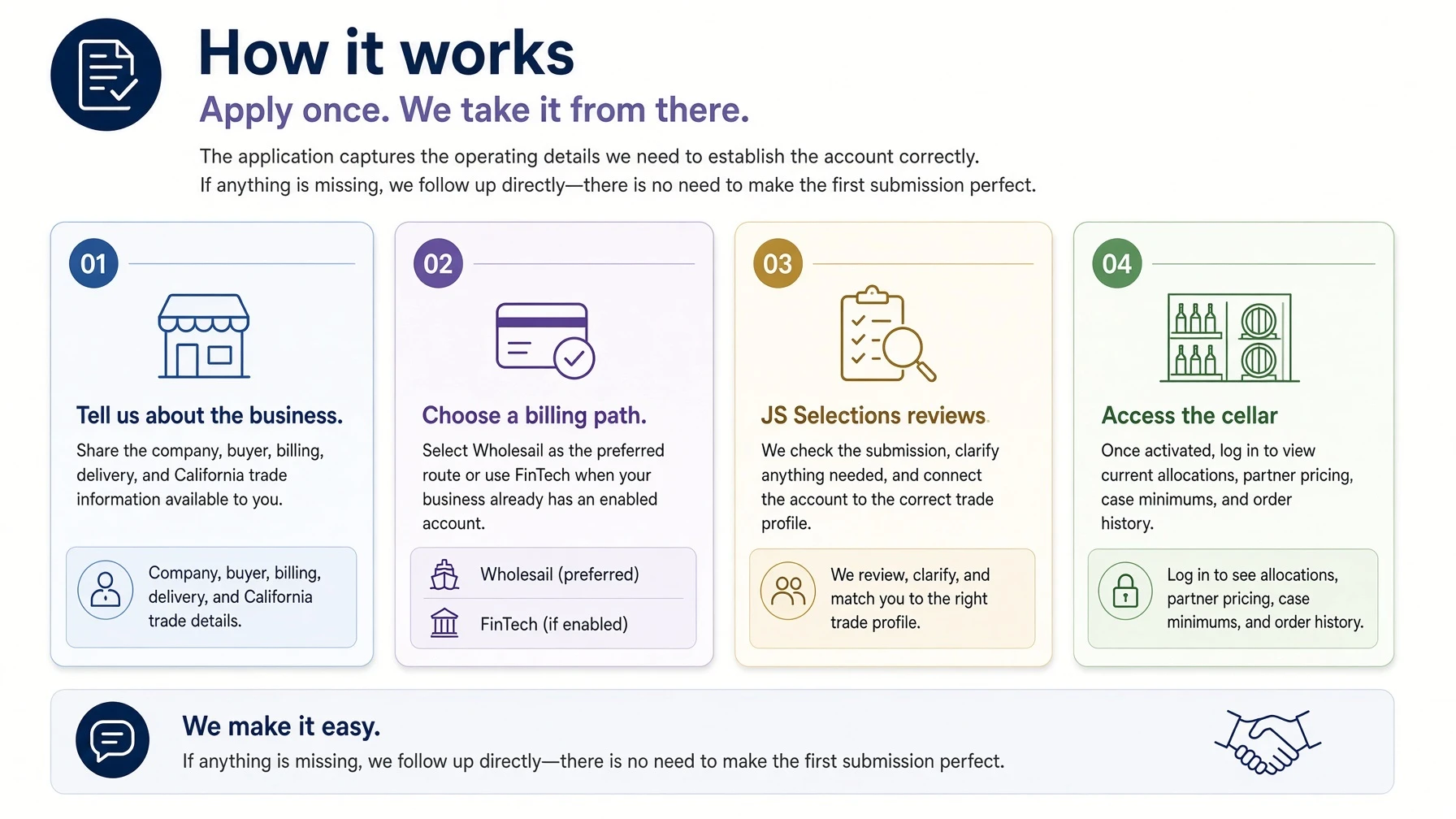
Step 1 creates your JS Selections storefront login so you can view current partner pricing immediately. Step 2 establishes ordering and payment through Wholesail. Businesses already active on FinTech can keep that existing billing route.
Step 1 · Pricing loginView current pricing immediately
Step 2 · Trade accountOrder and pay through Wholesail
Existing FinTechKeep your current billing route
One shared account window
JS Selections access, powered through OneWineMarket.
The application opens in the shared OneWineMarket portal because it supports the account, invoicing, and payment workflow behind JS Selections. Your producer access and ordering relationship remain with JS Selections.
Want the billing details?Continue for the preparation checklist, Wholesail and FinTech paths, account benefits, and common questions. Every existing visual remains available.
Step 2 · Ordering and payment
Choose the billing route already comfortable for your business.
This is separate from the storefront login that unlocks pricing. Wholesail is the preferred route for ordering and payment; existing FinTech accounts remain supported.
Preferred path
Wholesail
One guided route for account review, authorized electronic payment, invoice visibility, and account communication.
Once activated, the storefront becomes a working allocation desk—not a public retail shop.
Partner pricing
Approved accounts see current case pricing, minimums, and any restaurant-only package terms.
Allocation clarity
Each release is organized with producer context, package type, eligibility, and ordering guidance.
Direct support
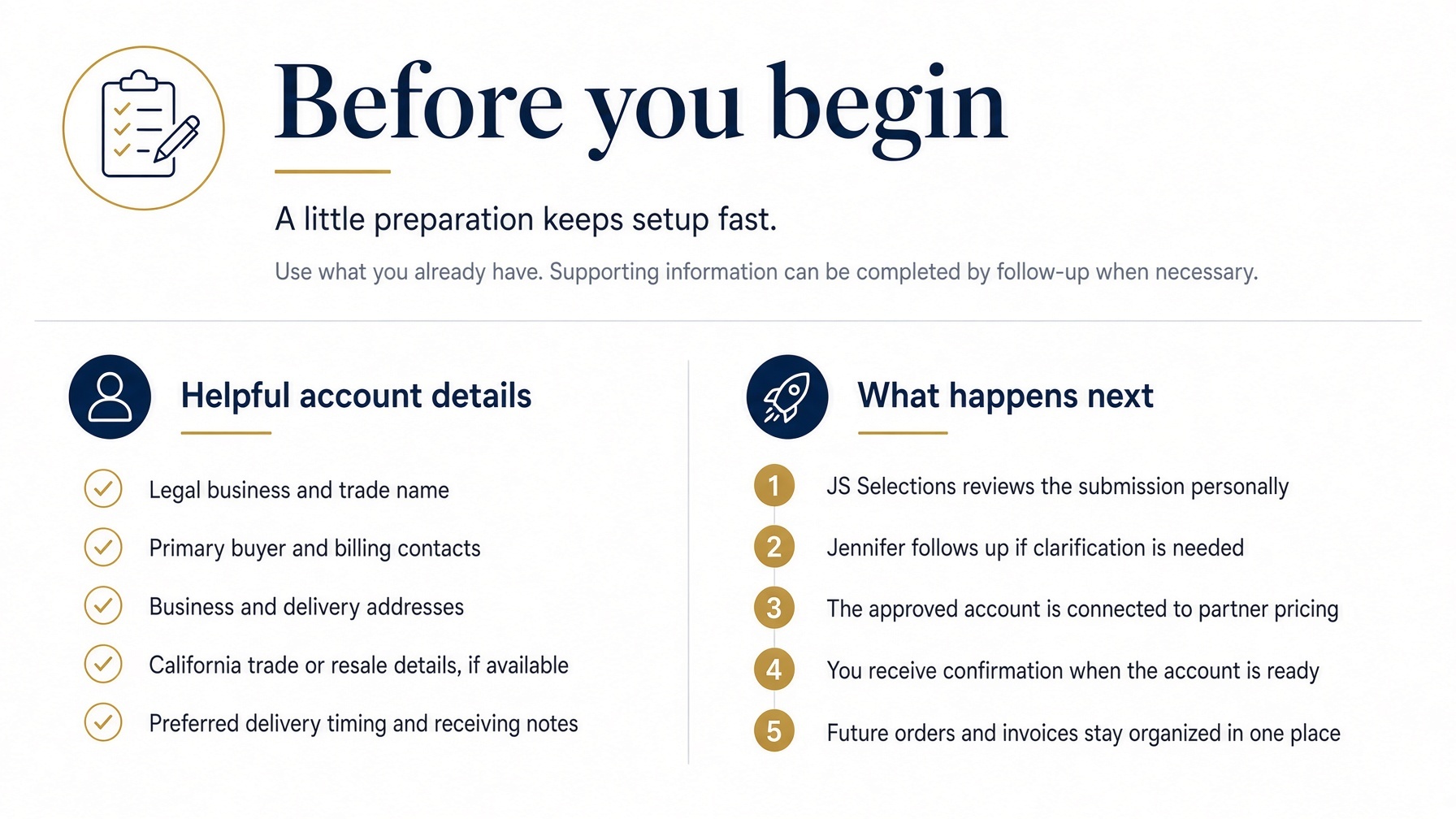
Questions route to Jennifer and the JS Selections team for a human response and practical follow-through.
Common questions
Account setup, without the guesswork.
Open any question below. If your situation is unusual, email Jennifer and we will handle it directly.
Am I charged when I submit the application?
No. The application establishes the account and preferred billing path. Nothing is charged when you submit the form.
Why does the application use OneWineMarket?
OneWineMarket provides the shared account and invoicing portal behind JS Selections. Your allocation access and ordering relationship remain with JS Selections.
Do I need every document before I start?
No. Provide the information you have. JS Selections can follow up for anything needed to finish the review.
Can I use an existing FinTech account?
Yes. Select FinTech when ordering if your business is already enabled, and we will route approved billing accordingly.
When will I see partner pricing?
Immediately after creating your JS Selections storefront login. Ordering requires the separate trade account review and activation described above.